
1. Find the Network
-
Open your device’s WiFi settings
-
Look for the network named “IPI-GUEST”
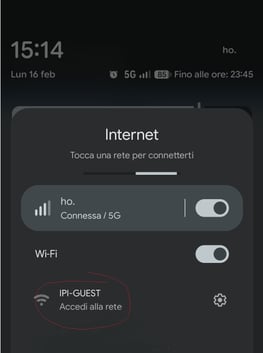
Select it to begin the connection process
2. Open Your Browser
-
After connecting to the network, open any web browser (You should be automatically redirected to the registration portal)
-
If the redirection does not occur, manually navigate to the portal page that appears in your browser
3. Complete the Registration Form
-
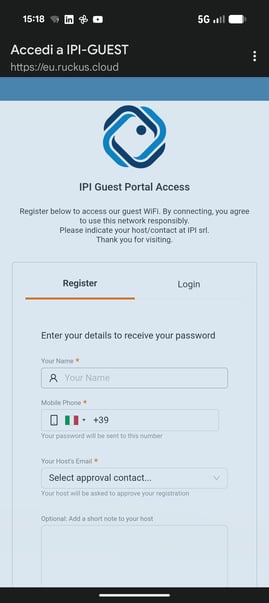
Fill in all required personal information
-
Mandatory: Enter the full name of the IPI employee who is hosting your visit
-
Submit the form to proceed
4. Receive Your Access Code
-
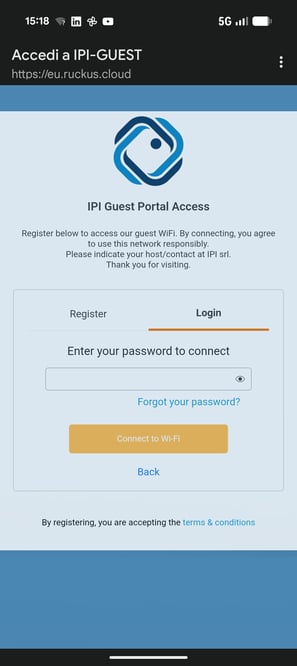
You will receive an SMS with your unique access code
-
Enter this code in Login tab to confirm your identity and activate your guest session
-
Once verified, your internet access will be enabled
If you encounter any issues during connection or registration, please reach out to the IT Team it_help@ipi.it for support.