
1. Contacts and Leads: The Basic Concept
Every lead in HubSpot always starts from a contact.
A contact is any individual who interacts with the company. This includes potential customers, partners, or suppliers.
Contacts can be created in different ways:
- Manually, by entering all contact information
- Through the HubSpot mobile app, for example during exhibitions or events
- Automatically, through website forms or incoming email requests

2. How Contacts Reach Us
A contact typically reaches the company by:
- Submitting a form on the website
- Sending an email expressing interest in a product or service
All incoming requests are reviewed by the Marketing and Sales Operations department. Once the request is verified and approved, it is assigned to a Contact Owner.
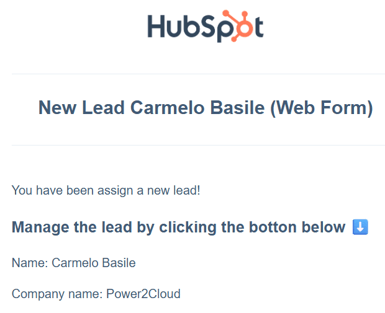
At that moment, HubSpot automatically creates a lead associated with the contact, and the Contact Owner receives a notification email.
3. Where Leads Can Be Managed
All leads linked to a contact can be managed in the following areas of HubSpot:
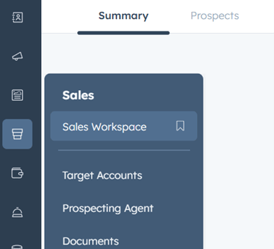
- Sales Workspace, in the Prospects section
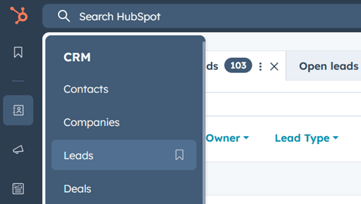
- CRM menu, under “Leads”
4. What a Lead Represents
It is important to note that the lead record represents the specific request received, not the general contact information.
A lead corresponds to a potential commercial opportunity that must be evaluated and followed up.
The Contact Owner is responsible for:
- Reviewing the incoming request
- Contacting the prospect
- Managing the lead throughout the qualification process
