Skip to content
English - United Kingdom
  • There are no suggestions because the search field is empty.

How to connect PC to TV screen (Cisco Room)

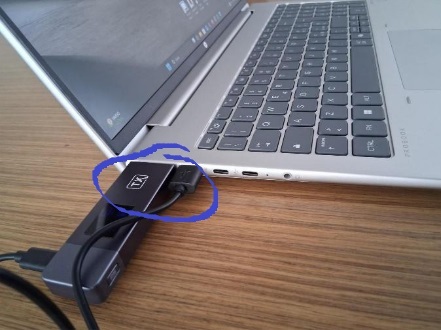
  • Connect the Transmitter in both HDMI & USB port in your PC

    2

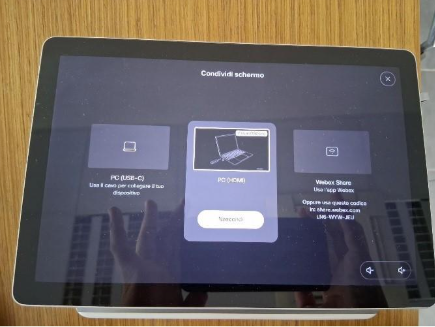
  • On the tablet select "Condividi Schermo" 

undefined-Oct-30-2025-01-42-01-6934-PM


  • Select the central block  PC (HDMI)

 Immagine che contiene testo, elettronica, Dispositivo elettronico, Computer tablet

Il contenuto generato dall'IA potrebbe non essere corretto.
 

  • Once connected, your PC screen will be displayed on the external monitor.